
OpenWRT 使用
拨号上网
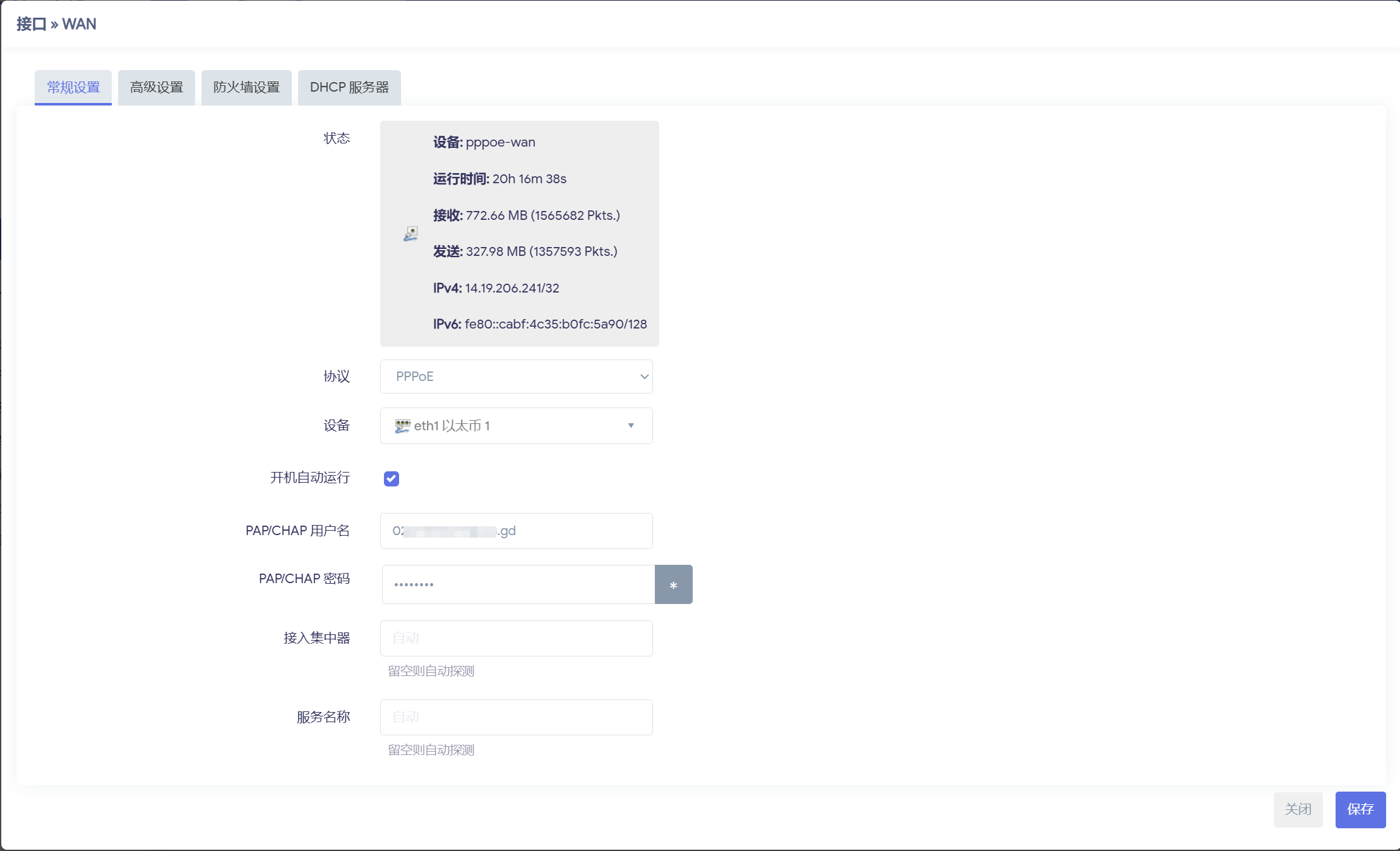
WAN 口配置
进入 网络-接口 协议选择 PPPoE ,输入宽带账号密码
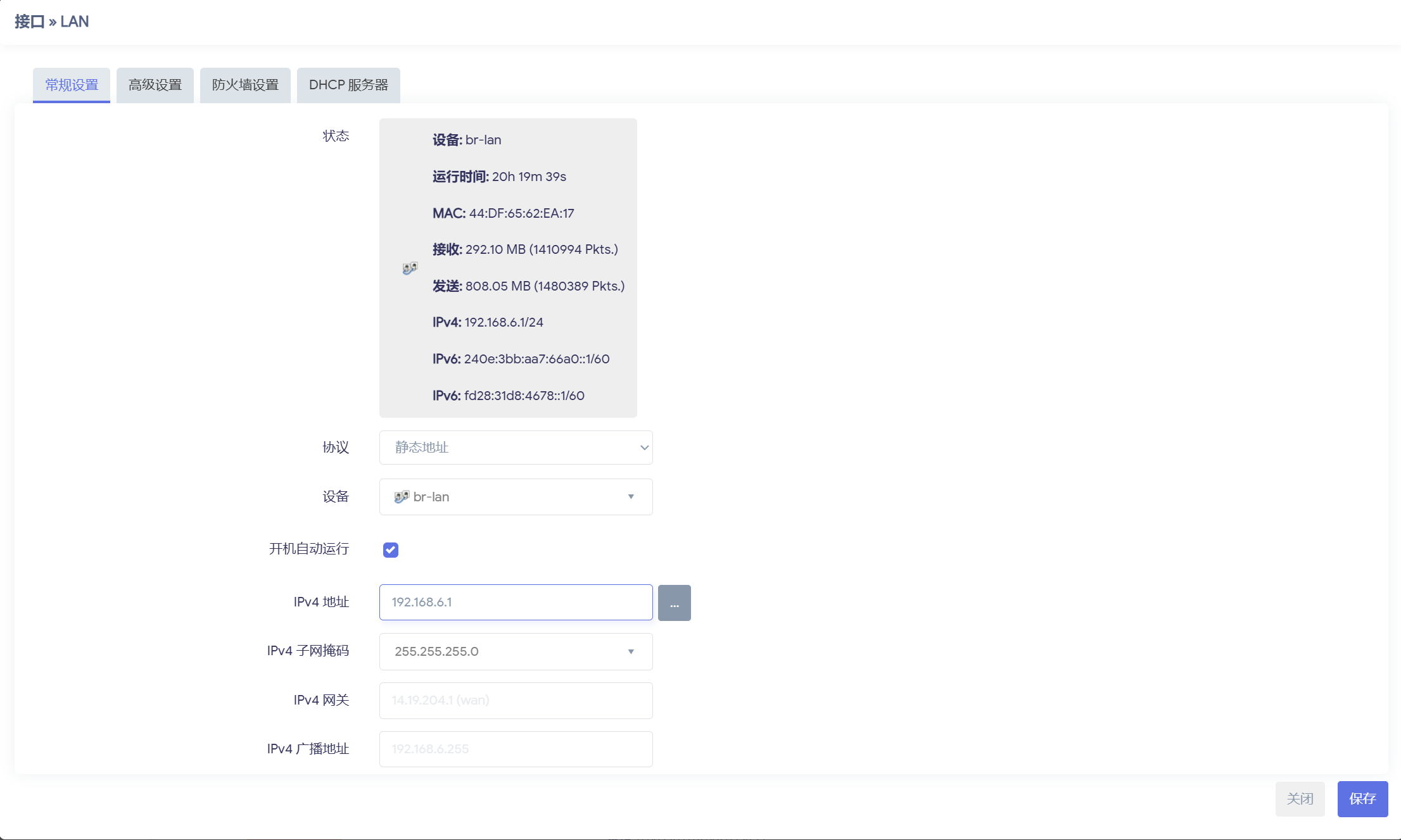
LAN 口配置
进入 网络-接口 协议选择 静态地址
Wi-Fi 无线网络配置
进入 网络-无线
修改 IP 网段
sh
vi /etc/config/networksh
# /etc/config/network
config interface 'loopback'
        option device 'lo'
        option proto 'static'
        option ipaddr '127.0.0.1'
        option netmask '255.0.0.0'

config globals 'globals'
        option ula_prefix 'fd28:31d8:4678::/48'

config device
        option name 'br-lan'
        option type 'bridge'
        list ports 'eth0'

config device
        option name 'eth0'
        option macaddr '44:df:65:62:ea:17'

config interface 'lan'
        option device 'br-lan'
        option proto 'static'
        option ipaddr '192.168.6.1'
        option netmask '255.255.255.0'
        option ip6assign '60'

config device
        option name 'eth1'
        option macaddr 'c8:bf:4c:fc:5a:90'

config interface 'wan'
        option device 'eth1'
        option proto 'pppoe'
        option username '0207399577@163.gd'
        option password 'gx532231'
        option ipv6 'auto'

config interface 'wan6'
        option device 'eth1'
        option proto 'dhcpv6'

config switch
        option name 'switch0'
        option reset '1'
        option enable_vlan '1'

config switch_vlan
        option device 'switch0'
        option vlan '1'
        option ports '1 2 3 6'

config switch_vlan
        option device 'switch0'
        option vlan '2'
        option ports '4 5'
sh
reboot绑定 IP 和 Mac 地址
进入 网络-DHCP/DNS-静态地址分配
端口映射
进入 网络-防火墙-端口转发